> For the complete documentation index, see [llms.txt](https://creco-1.gitbook.io/docs/llms.txt). Markdown versions of documentation pages are available by appending `.md` to page URLs; this page is available as [Markdown](https://creco-1.gitbook.io/docs/guide/en/episode/share.md).
# Sharing
{% hint style="info" %}
Screenshots reflect the Korean UI.
{% endhint %}
{% hint style="info" %}
Members who can share version content are:\
Members with **`Full Access`** or **`Manage`** permission in the project\
Members with **`Manage`** permission in the project process.
{% endhint %}
## Creating a Share Link
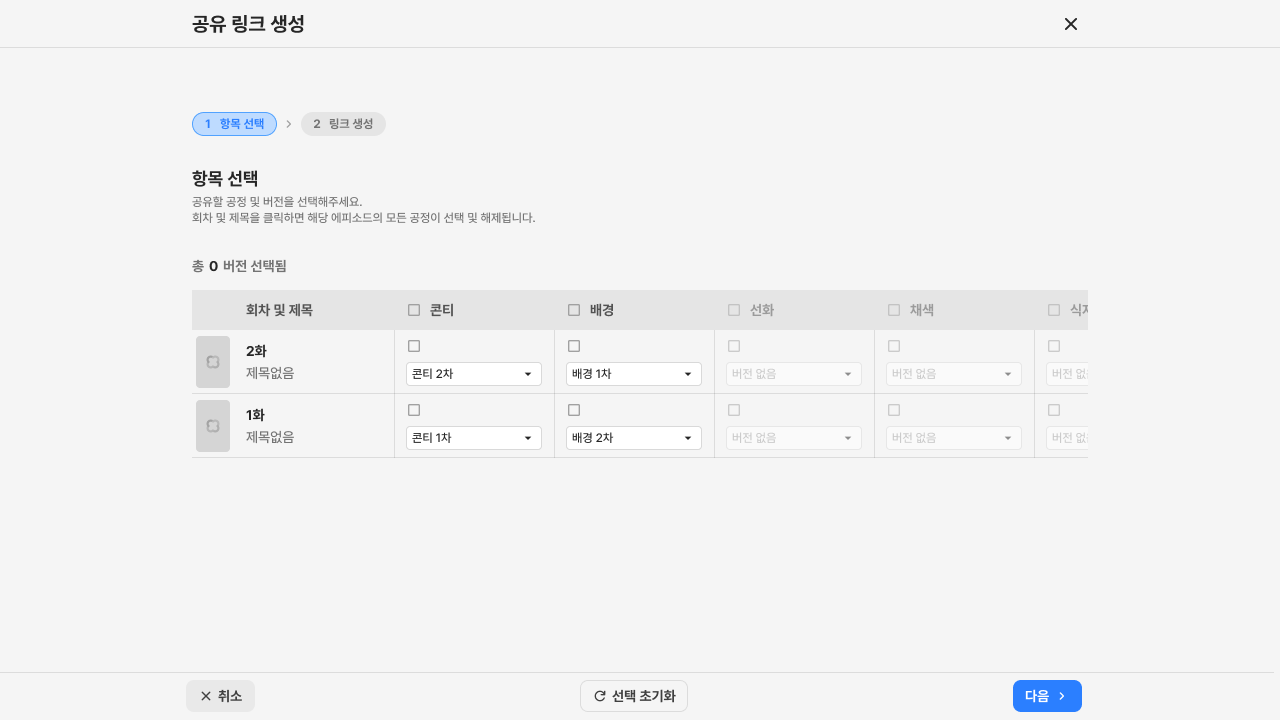
* Click the Create Share Link button at the top right of the episode list or episode screen.
* Select Process & Version: Select the process and version to share.
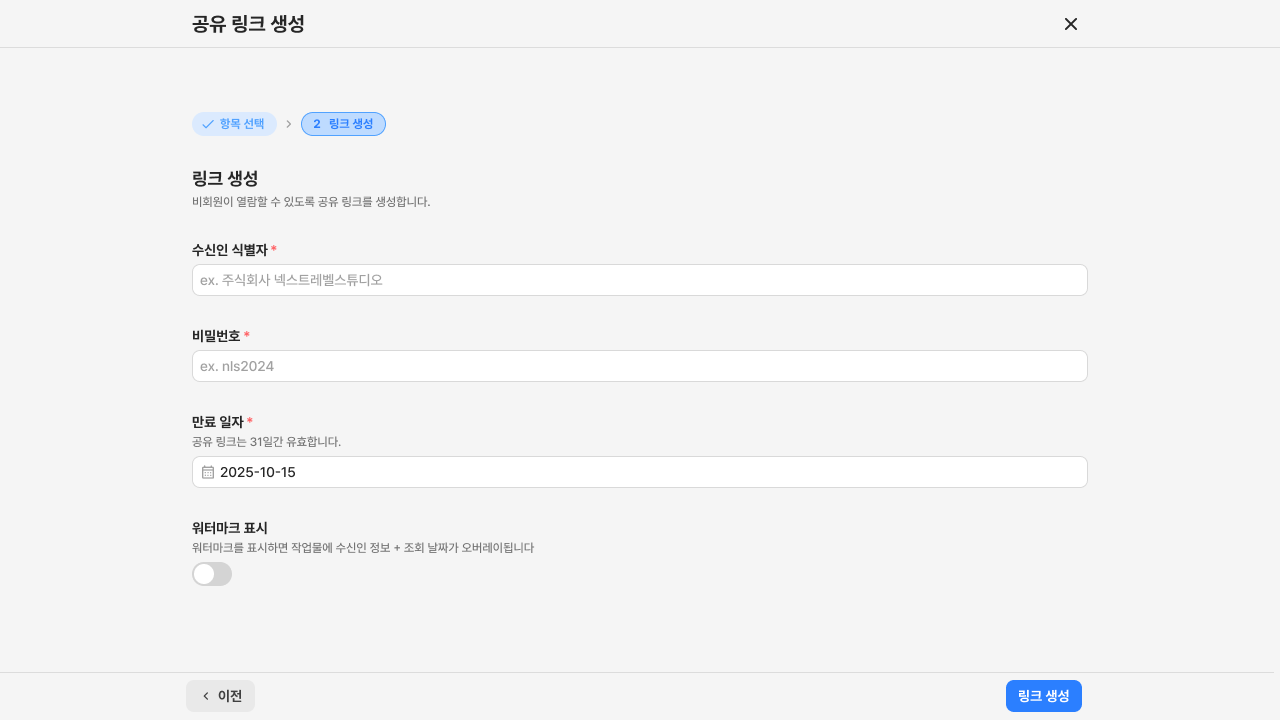
* Recipient Identifier: Used to identify the recipient of the share link.
* Password: The password required to access the share link.
* Expiration Date: The date the share link expires.
* Show Watermark: Sets whether a watermark is shown when the share link is viewed.
## How to Access the Shared Page
* Access via the shared URL link.
* Check the recipient identifier to confirm the page was shared with you.
* Viewing is not possible after the expiration date.
* Enter the correct password and click the view button to see the shared content.
## Text Process
* The share link creation process is the same as for the image process.
* In the share viewer (external viewers), feedback underlines are always hidden regardless of permission.
.png?alt=media)